At the NYMUCUG meeting yesterday a question came up about the documentation for the Outlook social connector (OSC).
Its here on msdn. There is also a sample provider here. More details on John Andersons blog over here.
At the NYMUCUG meeting yesterday a question came up about the documentation for the Outlook social connector (OSC).
Its here on msdn. There is also a sample provider here. More details on John Andersons blog over here.
I attended the NYMSUCUG yesterday and few questions came up. One question from an IT manager in a large enterprise asked if the pictures in the contact list in Lync can be switched off.
The answer is of course yes. A user can switch it off (or on) by going into options-> personal –> display photo –> ‘Show photos of contacts’
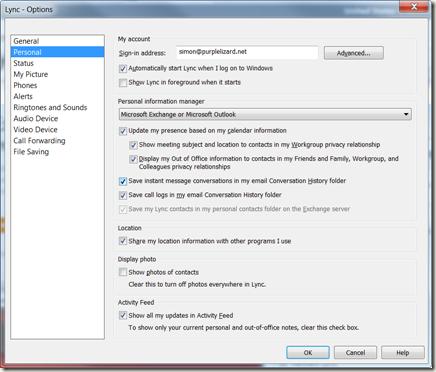
Or if you prefer to use Client Policy look for PhotoUsage and DisplayPhoto in the IT Pro documentation. The documentation is a little confusing as they changed the name of this setting but I believe that the correct parameter is DisplayPhoto, possible values are NoPhoto, PhotosFromADOnly and AllPhotos (OIP docs)
Once off the main UI looks like this:


